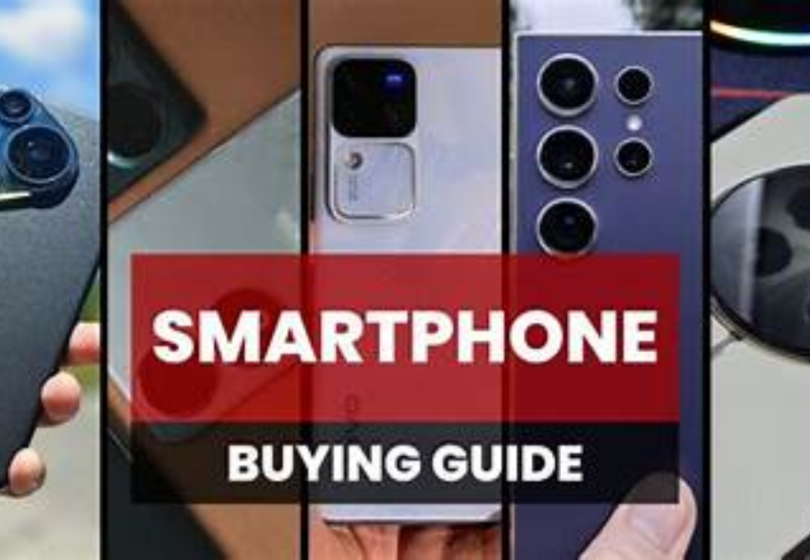

Choosing a smartphone today can feel confusing because the market is full of countless models, price ranges, and technical terms. This Smartphone Buyer Guide is written in a friendly, conversational way to help you clearly understand what actually matters and how to choose the right smartphone based on your personal needs.
Think of this guide as someone walking beside you, explaining everything step-by-step without unnecessary jargon.
1. Start by Understanding Your Needs

Before comparing phones, it is essential to understand what you truly need from a smartphone. This is the foundation of your buying decision.
Questions to ask yourself:
- How do you use your phone daily?
- Do you take a lot of photos and videos?
- Do you play heavy games?
- Do you prefer a compact device or a large display?
- Is long battery life more important than performance?
- Do you care about brand value or resale value?
Once you know your priorities, you can filter out phones that don’t match your lifestyle.
Benefits:
- Helps you avoid spending too much on features you don’t need
- Makes the selection process faster
- Ensures you get a phone that actually suits your usage habits
Drawbacks:
- Requires a bit of self-analysis
- People sometimes overestimate or underestimate their needs
2. Choosing Your Operating System: Android vs iOS
Your operating system shapes your entire smartphone experience.
iOS (Apple iPhone)
Benefits:
- Simple and user-friendly interface
- Long-lasting software updates
- Strong privacy and security
- Better integration across Apple devices
- High resale value
Drawbacks:
- More expensive
- Less customization
- Limited device variety
- No expandable storage
Android
Benefits:
- Wide range of phones in all budgets
- Highly customizable
- More hardware choices (battery, display, camera options)
- Expandable storage on many models
- More flexibility for advanced users
Drawbacks:
- Software updates vary by brand
- Some low-end models age faster
- Ecosystem varies between manufacturers
3. Display: Size, Type, and Refresh Rate
Your display affects everything you see and do on your phone.
Important Display Specifications
Size
- Under 6 inches: Good for one-handed use
- 6.1 to 6.5 inches: Comfortable balance
- Above 6.5 inches: Best for gaming, movies, and multitasking
Display Type
- LCD: Decent and affordable
- AMOLED / OLED: Bright, deep blacks, better quality
- LTPO OLED (found in high-end phones): Smooth refresh rate control and better battery efficiency
Refresh Rate
- 60Hz: Standard
- 90Hz: Smoother scrolling
- 120Hz or higher: Best for gaming and ultra-smooth visuals
Benefits of a Good Display
- Better visibility under sunlight
- Smoother experience for browsing and apps
- More enjoyable video and gaming experience
Drawbacks
- Higher refresh rate drains more battery
- Premium panel types increase phone cost
4. Performance: Processor, RAM, and Overall Speed
Performance determines how fast your smartphone feels.
Processor (Chipset)
High-end chipsets:
- Apple A-series (iPhone)
- Snapdragon 8 Gen series
- MediaTek Dimensity 9000 series
These offer the best speed and efficiency.
Mid-range chipsets:
- Snapdragon 7 series
- MediaTek Dimensity 7000/8000
Good for most users with smooth daily performance.
Entry-level chipsets:
- Snapdragon 4 series
- MediaTek Helio G Series
Suitable for basic tasks.
RAM (Memory)
- 4GB: Basic use
- 6GB: Minimum for modern use
- 8GB: Smooth multitasking
- 12GB and above: Power users and gamers
Benefits:
- Faster app launches
- Smooth multitasking
- Better long-term performance
Drawbacks:
- High-performance phones are more expensive
- Powerful processors may generate heat during gaming
You may also like to read these posts:
Future Tech Trends 2026: A Deep Dive Into What’s Coming Next
Upcoming Technology Innovations: A Deep Dive Into the Future We’re About to Live In
New Futuristic Tech Devices: A Deep Dive Into the Tech Changing Our Future
Next Generation Tech Ideas: A Detailed Look at the Future of Innovation
5. Camera System: What Truly Matters
Many buyers judge smartphones mainly by camera quality. But megapixels alone do not guarantee good photos.
Important Camera Features
- Sensor size (larger sensors capture better detail)
- Optical Image Stabilization (OIS)
- Ultra-wide and telephoto lenses
- Low-light performance
- Video stabilization
- Good software processing (very important)
Benefits of a Good Camera:
- Clearer photos and videos in all lighting conditions
- Professional-quality results
- Better Zoom capabilities in high-end models
Drawbacks:
- Phones with better cameras cost more
- Extra lenses can add bulk to the device
6. Battery Life and Charging Speed
A powerful phone is useless if the battery is weak.
Battery Capacity
- 4000mAh: Acceptable for light use
- 5000mAh: Ideal for most people
- 5500mAh or above: Great for heavy users and gamers
Charging Speed
- 18W: Slow
- 33W: Reasonably fast
- 65W: Fast
- 100W+: Extremely fast charging
Benefits:
- You can use your phone all day without worry
- Fast charging saves time
- Power-efficient processors extend battery life
Drawbacks:
- Fast charging can reduce long-term battery lifespan
- Larger batteries make phones heavier
7. Storage: Choosing the Right Amount
Modern apps, high-resolution photos, and videos occupy more space than ever.
Recommended Storage
- 64GB: Not enough today
- 128GB: Minimum for most users
- 256GB: Good balance
- 512GB or more: For creators and intensive users
Benefits:
- No need to constantly delete files
- Smooth performance with ample free space
Drawbacks:
- Higher storage variants cost more
- iPhones have no expandable storage
8. Build Quality and Durability
A smartphone should feel good in your hand and survive everyday use.
Materials
- Plastic: Lightweight, durable, scratch-resistant, affordable
- Glass: Premium look, supports wireless charging
- Metal: Strong, premium-feeling
Protection Features
- Gorilla Glass
- IP rating (dust and water resistance)
Benefits:
- Long lifespan
- Better protection against drops
- Premium feel
Drawbacks:
- Glass backs can crack
- Higher build quality increases cost
9. Additional Features to Consider
Some features may not be essential, but they add convenience:
- 5G support
- Stereo speakers
- NFC for contactless payments
- In-display fingerprint sensor
- Face unlock
- Dual SIM support
- Wireless charging
- Reverse wireless charging
Benefits:
- Adds long-term value
- Improves user convenience
Drawbacks:
- Extra features increase the price
- Not all users need them
10. Set a Budget
Smartphones come in all price categories. Knowing your budget helps narrow your choices.
Budget Range
- Budget phones: Basic features, good for light use
- Mid-range phones: Best balance of price and performance
- Flagship phones: Top-tier performance, camera, and design
Benefits:
- Helps you avoid overpaying
- Makes comparison easier
Drawbacks:
- Lower budgets limit options
- Flagships can be unnecessarily expensive for casual users
Final Advice Before You Buy
- Compare 2–3 models within your budget
- Check recent user reviews
- Avoid old models with outdated processors
- Consider future-proofing
- Make sure the brand provides regular updates
Conclusion
This Smartphone Buyer Guide is designed to help you make an informed, confident decision without confusion. The best smartphone is not the most expensive one. It is the one that matches your lifestyle, your needs, and your budget.
FAQs
1. What is the most important factor when buying a smartphone?
The most important factor is understanding your personal needs. Identify what you will use the phone for most, such as photography, gaming, social media, or productivity. Once you know your priorities, features like camera, battery, or performance become easier to evaluate.
2. Should I choose iPhone or Android?
It depends on your preferences:
iPhone: Best if you want a smooth user experience, long-term software updates, strong privacy, and ecosystem integration with other Apple devices.
Android: Best for flexibility, variety, customization, more budget options, and extra features like expandable storage.
3. How much RAM do I really need?
4GB: Suitable for basic use like calling, texting, and social media.
6GB–8GB: Ideal for daily multitasking and moderate gaming.
12GB+: Recommended for heavy gaming, video editing, or power users.
4. Does a higher megapixel camera mean better photos?
Not necessarily. Megapixels only define resolution, not quality. The sensor size, software optimization, low-light performance, and OIS (optical image stabilization) are more important for taking good photos.
5. How important is battery capacity?
Battery life is critical for daily use. A 4500–5000mAh battery is ideal for most users, while heavy users or gamers should look for 5500mAh or higher. Fast charging is also important if you don’t want to wait hours for a full charge.