
If you’ve ever felt frustrated watching your battery percentage drop faster than expected, you’re definitely not alone. Today, our phones play a major role in our daily lives, so keeping them powered throughout the day is essential.
This detailed guide covers practical mobile battery improvement tips, written in a friendly, conversational tone, along with the benefits and drawbacks of each method. This way, you’ll understand every strategy clearly and know exactly how it affects your phone.
1. Reduce Screen Brightness and Manage Display Settings
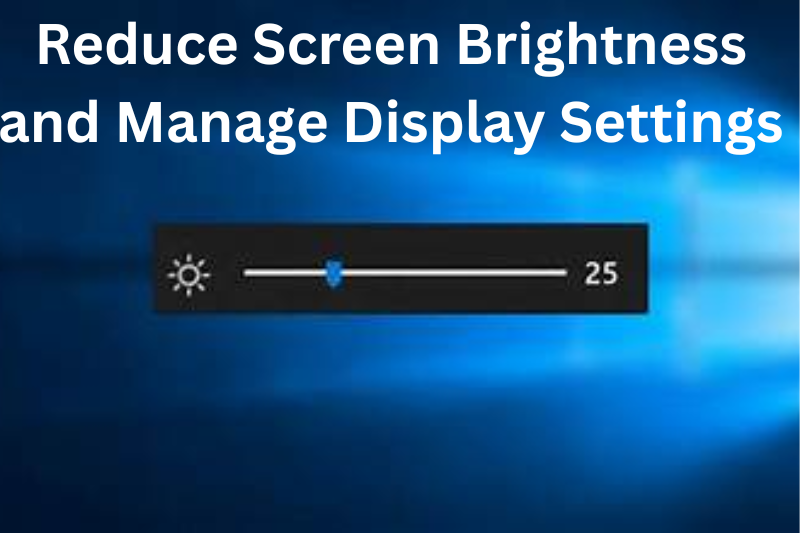
Your phone’s display consumes the most battery. High brightness, long screen-timeout settings, and high refresh rates drain the battery quickly.
What You Can Do:
- Lower the brightness manually.
- Use auto-brightness for automatic adjustments.
- Reduce screen timeout to 15–30 seconds.
- Disable Always On Display if not required.
- Use dark mode (especially useful for AMOLED screens).
Benefits:
- Immediate battery savings.
- Reduces eye strain.
- Helps maintain battery health over time.
Drawbacks:
- Low brightness may reduce outdoor visibility.
- Auto-brightness may not always adjust accurately.
2. Turn Off Unused Features (Wi-Fi, Bluetooth, NFC, GPS)
Features like Bluetooth, Wi-Fi, NFC, and GPS continue to consume power even when you’re not actively using them.
What You Can Do:
- Turn off Bluetooth when not connected to accessories.
- Turn off GPS if you’re not using navigation.
- Disable NFC unless needed for payments.
- Switch off Wi-Fi when out of range.
Benefits:
- Reduces background power consumption.
- Improves standby time.
- Minimizes accidental wireless activity.
Drawbacks:
- You might miss quick file-sharing options.
- Some apps may not function correctly without location services.
3. Control Background Apps and High-Drain Applications
Many apps run quietly in the background, draining power without your knowledge.
What You Can Do:
- Check battery usage in settings.
- Restrict background data or activity for heavy apps.
- Disable auto-sync for unnecessary apps.
- Clear cache or close apps you’re done using.
Benefits:
- Saves battery and improves overall performance.
- Reduces data usage.
- Helps identify battery-hungry apps.
Drawbacks:
- Restricting some apps may delay notifications.
- Some apps reopen automatically unless disabled completely.
4. Use Battery Saver or Power-Saving Mode
Power saver mode is designed to extend your battery by reducing background activity and limiting performance.
What You Can Do:
- Turn on battery saver around 20–30 percent.
- Use ultra power-saving mode during emergencies.
- Enable scheduled power-saving on supported phones.
Benefits:
- Noticeably increases battery life.
- Reduces unnecessary energy usage.
- Helpful during long travel or outdoor days.
Drawbacks:
- Performance may slightly reduce.
- Limits background processes and notifications.
5. Turn Off Vibrations and Reduce Haptic Feedback
Vibrations use a motor inside the phone, which consumes more power than sound alerts.
What You Can Do:
- Turn off vibration for calls and notifications.
- Reduce keyboard vibration.
- Disable unnecessary vibration effects.
Benefits:
- Saves battery significantly.
- Reduces wear on the vibration motor.
- Makes the phone quieter.
Drawbacks:
- You may miss alerts in noisy places.
- Some people prefer vibration for typing feedback.
6. Prevent Overheating
Heat damages battery cells and reduces performance.
What You Can Do:
- Avoid charging while gaming or streaming videos.
- Keep your phone out of sunlight.
- Remove thick cases when charging.
- Avoid leaving your phone inside hot cars.
Benefits:
- Improves long-term battery health.
- Prevents lag and sudden shutdowns.
- Increases battery efficiency.
Drawbacks:
- Hard to maintain in hot environments.
- Requires conscious habit changes.
7. Keep Apps and System Updated
Outdated apps may have bugs that drain your battery.
What You Can Do:
- Update apps regularly.
- Keep your device’s software up-to-date.
Benefits:
- Fixes battery-draining issues.
- Improves compatibility and performance.
- Enhances phone stability.
Drawbacks:
- Some updates can introduce new issues.
- Older phones may struggle with major updates.
8. Use High-Quality or Original Chargers
Low-quality chargers can harm your battery or charge it inefficiently.
What You Can Do:
- Use original or certified chargers.
- Avoid using low-cost, unbranded chargers.
- Replace frayed or damaged cables.
Benefits:
- Safe and efficient charging.
- Preserves battery health.
- Prevents overheating and hardware damage.
Drawbacks:
- Original chargers can be more expensive.
- Fast charging may heat the phone more than normal charging.
You may also like to read these posts:
advanced future technology tools
Mobile Performance Tips: The Complete, Friendly Guide to a Faster Phone
Smartphone Buyer Guide: A Complete, Detailed, User-Friendly Guide
Best Budget Phones Review – A Complete, Detailed and User-Friendly Guide
9. Maintain Healthy Charging Habits
Your charging patterns affect long-term battery health.
What You Can Do:
- Keep battery between 20% and 80%.
- Avoid frequent full charges.
- Don’t let your phone fully drain often.
- Avoid overnight charging if your device gets warm.
Benefits:
- Extends battery lifespan significantly.
- Prevents battery swelling.
- Keeps battery cells healthy for longer.
Drawbacks:
- Requires effort and habit changes.
- Frequent top-up charging may be inconvenient for some users.
10. Use Dark Mode and Battery-Efficient Themes
Dark mode reduces battery consumption on AMOLED/OLED screens.
What You Can Do:
- Enable dark mode system-wide.
- Use dark wallpapers.
- Apply darker app themes when available.
Benefits:
- Saves power on supported screens.
- Reduces eye strain.
- Gives the phone a clean and modern look.
Drawbacks:
- Some apps may not support dark mode.
- Benefits are limited on LCD screens.
Final Thoughts
These mobile battery improvement tips can help you boost your phone’s battery life, improve performance, and extend long-term battery health. While each tip has its benefits and drawbacks, even applying a few consistently can make a big difference in your daily battery usage.
FAQs
1. How can I make my phone battery last longer in a single day?
You can improve daily battery life by reducing screen brightness, turning off unused features (Bluetooth, GPS, Wi-Fi), closing background apps, and enabling battery saver mode. Using dark mode and avoiding heavy usage while charging can also help.
2. Does using dark mode really save battery?
Yes, on phones with AMOLED or OLED screens, dark mode saves battery because black pixels are essentially turned off, consuming less power. On LCD screens, the savings are minimal.
3. Is it bad to charge my phone overnight?
Charging overnight occasionally is usually fine, as modern phones have mechanisms to stop overcharging. However, frequent overnight charging can generate heat, which may slowly degrade battery health over time.
4. Should I fully drain my phone battery before charging?
No. Lithium-ion batteries perform best when kept between 20% and 80%. Fully draining your battery to 0% regularly can reduce its long-term lifespan.
5. Do apps running in the background really drain battery?
Yes. Many apps refresh data, check notifications, or use GPS in the background, which consumes battery. Restricting background activity for unnecessary apps is one of the most effective battery-saving strategies.